-
Fifteen research desks, one market context.
Options, earnings, sectors, 13F holdings and rebalance flow. Each page opens with an orange "What this page tells you" callout.
- Options, key g: gamma flip, call and put walls, 30-day IV.
- Earnings, key q: the straddle as a % of spot.
- Newsfeed, key n: red rows can move markets.
The market lenses →GEX, explained →The signal loop →

-
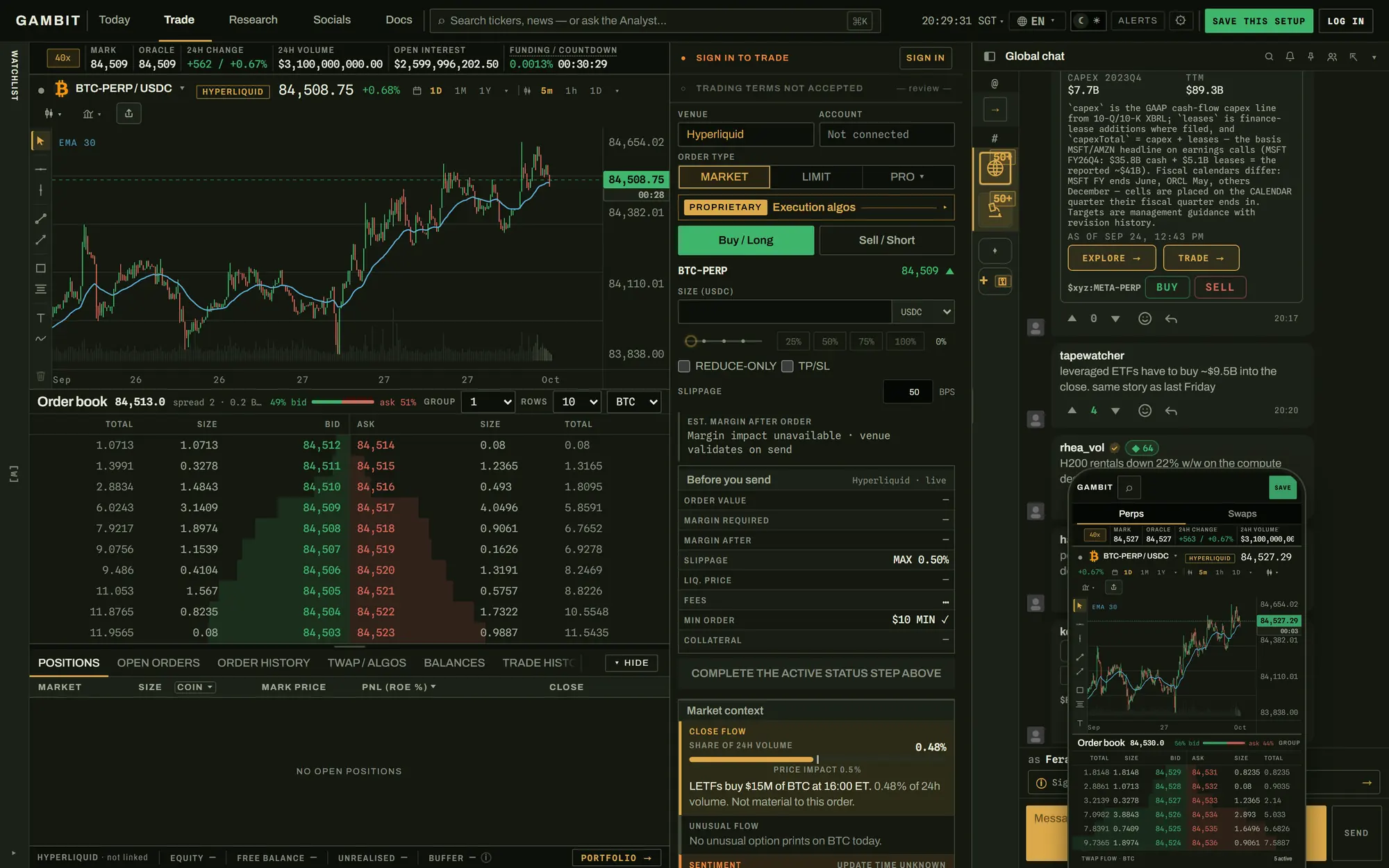
Trade from the screen you researched on.
Link your Hyperliquid wallet with two signatures. The ticket sits beside the chart and book, and your funds never leave your account.
- Native orders: market, limit, stop, take, chase, scale, venue TWAP, TP/SL.
- Algos that run with the tab closed: TWAP, VWAP, Iceberg, Private Limit, Private Market.
- Swaps and bridges onchain. The fee split shows before every order.
- On your phone: one Perps | Swaps hub.
-
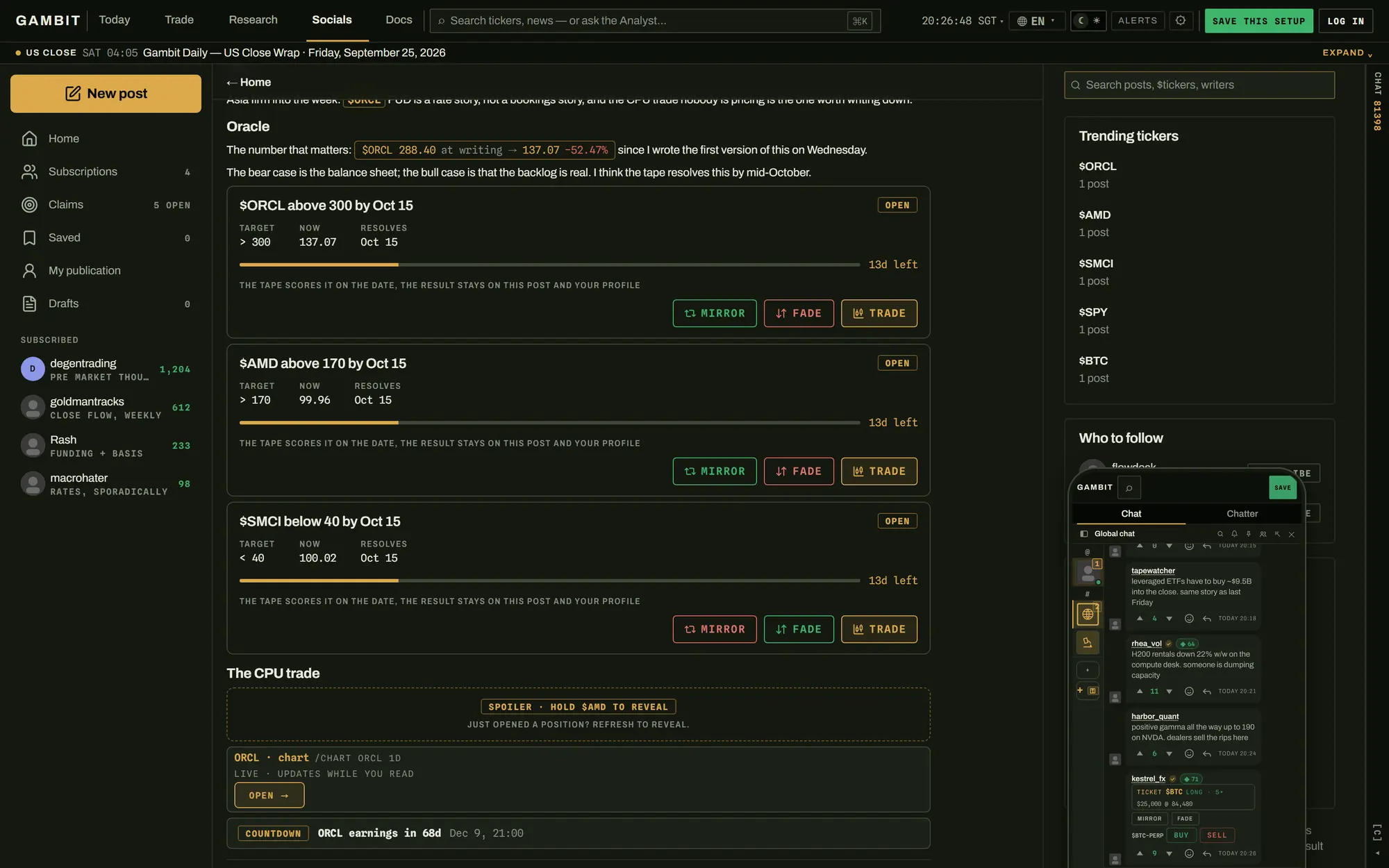
A trading floor that can see the trade.
Global chat on every page, plus rooms and DMs. Share a position and readers can Mirror or Fade it from the card.
- Chatter: longer posts with claims to Mirror, Fade or Trade, your Hyperliquid fills as receipts.
- Room alerts post when a level breaks or a headline lands.
- Slash commands pull live prices, GEX and options data into chat.
- Leaderboards rank verified P&L, not the loudest voice.
-
An analyst that reads your screen.
Press t and ask about the desk you're on. It calls Anthropic, OpenAI, OpenRouter or Gemini with your own API key.
- The key stays in your browser, sent as a request header.
- No shared key, no server-side storage, no save-keys endpoint.

CONTEXT · GEX / NVDA Where does dealer hedging flip on this chart?
YOUR BROWSERkey in local storageYOUR PROVIDERanthropic · openai · openrouter · geminiGAMBIT SERVERSnothing stored -
The AI economy, priced like a market.
The AI compute desk prices 67 GPU models per GPU-hour and tracks 534 SEC-filed datacenter sites (as of 10 August 2026).
- Rental prices: what compute costs today.
- Filings: how much is being built, each row linked.
- Hyperscaler capex and model prices complete the chain.
The AI economy stack →GPU prices →

Read the whole market. Trade the part that matters.
Triaged news, dealer gamma (GEX), earnings moves and AI-compute prices on one tape. Trade from your own Hyperliquid account, keyboard-first, in the browser.
- No account to look around
- Non-custodial trading
- Your own AI key
Gambit Terminal in numbers
- 15desks, each one keystroke away
- 38earnings reports priced by implied move
- 67GPU chips priced in $ per GPU-hour
- 534SEC-filed datacenter sites, every row linked
- 2bpsGambit fee on core crypto perps
- 0customer funds held by Gambit
Every desk is one key away.
Press a key and the desk changes. Your symbol, your list and your place stay put.

- 0 today
- c chart
- w watchlist
- h heatmap
- n newsfeed
- g options
- k calendar
- i AI compute
- q earnings
- x trade
Research, trade, talk and ask in one tab.
One watchlist for crypto, US equities and world indices, Hyperliquid and Lighter perps included. Every symbol desk opens on it.
How the watchlist works
The watchlist is the spine of the symbol-level desks: the charts, the heatmap, the newsfeed filter, the earnings coverage and your alert rules all open on it. Curate the names once, and the signals that bear on your next trade arrive attached to them.


Move between questions without losing your place.
Pick a desk or press its key. Each screen is a real capture.
- `SearchAny ticker, any desk, by name.
- 0TodayYour list, the chart, the feed.
- cChartCandles, indicators, drawings.
- wWatchlistPerps beside equities, live.
- hHeatmapThe session at a glance.
- nNewsfeedHeadlines, graded by urgency.
- tAnalystReads your screen. Your key.
- bDaily BriefTokyo and New York, summarized.
- gOptionsLevels, expiries, tape, flow.
- lAlertsServer-side rules, sent to Telegram.
- kCalendarEarnings, macro, unlocks, dividends.
- iAI computeChip rentals, data centres, money flows.
- sFunds13F holdings and filings.
- zRebalanceLeveraged ETF rebalance flows.
- qEarningsOption-implied expected moves.

Know what deserves your attention.
Every headline is graded before it reaches you: red can move markets, amber is notable, green is context. Four more pages tell you what a headline can't.
What each page answers
A headline on its own will not tell you whether one name moved or the whole sector did, whether the tape is changing style, or whether the print was on the schedule all along. The Newsfeed (key n) is news only. Sectors and relative strength live on the Sectors & rotation page (key a), with factors. Sentiment is its own page, with Overview, Posts and Trader calls. The Calendar (key k) carries macro prints and earnings.
What just happened, and does it matter? Squawk, wire and X headlines on one timestamped tape, graded and tagged with symbols.

Is the whole sector moving, or just this name? Sectors ranked across six horizons, the leader's members listed beside it.

Which groups are gaining on the market? Each sector plotted by strength and momentum. The callout names leaders and laggards.

What is the crowd saying, and which way does it lean? X posts on your names, tagged bullish, bearish or neutral, tallied per ticker.

Was this scheduled, and what comes next? Macro prints with forecast and prior, earnings with the surprise, by day.

3 CAN MOVE MARKETS · 2 NOTABLE · 1 CONTEXT
Sentiment and Sectors & rotation are their own pages, a keystroke from the feed. How the newsfeed desk works.
See where options may shape the move.
Dealer gamma by strike shows where hedging may dampen or amplify a move. Read gamma exposure (GEX), explained and option-implied expected moves.
g
Options: GEX, prints and flow
Net gamma by strike, the flip and the walls. Tabs for Levels, Expiries, Open interest, Tape, Volume and Flow.
Gamma exposure, explained
q
38 reports
Earnings implied moves
The ATM straddle into each report, as a percentage of spot.

z
Rebalance flows
Leveraged ETFs forced to trade the close, by underlying, per 1% move.

s
Funds and 13F
Filed portfolios ranked by value, with new stakes since the last filing.

h
Watchlist and heatmap
One list across crypto and equities, drawn as a treemap sized by impact.

l
Alerts that fire with the tab closed
Levels, daily moves, urgent news and keywords, checked server-side, sent to Telegram.

k
Calendar and the Daily Brief
Macro, earnings, unlocks and dividends by day, plus an agent-written brief each session.

Follow AI money from GPU prices to megawatts.
Chips, power and datacenter capacity each have a price. Track GPU rental prices, hyperscaler capex and datacenter buildout on one desk.
67 GPU models priced per GPU-hour. 534 SEC-filed sites, each linked to its filing. As of 10 August 2026; live numbers in the terminal.
How the AI compute data is built
The AI compute desk (key i) has eight pages: Chip rentals, AI models, Data centres, AI stock index, AI spending, Money flows, Supply chain and Hardware.
GPU rental prices are quoted by providers on the demand side, hyperscaler capex sits in the middle, and datacenter buildout is disclosed in SEC filings on the supply side. Each GPU model is priced by its median dollars per GPU-hour.
Every buildout row carries the EDGAR link to the 10-K, 10-Q or 8-K that disclosed it. Figures are dated, so a current observation is never presented as a permanent fact.


Your money and your keys stay yours.
Gambit never holds your funds or sees your AI provider key. Both are structural, and you can check each yourself.
Non-custodial trading
A Hyperliquid approveAgent key can place, modify and cancel orders. Hyperliquid blocks it from withdrawing or transferring funds, whoever holds it.
How custody works
The limit is enforced by Hyperliquid, not by Gambit. Withdrawals, transfers and fee approvals need a signature from your own wallet. Disconnecting in Gambit deletes Gambit's copy of the agent key; revoking the agent in Hyperliquid's API settings removes it everywhere.
Bring your own AI key
The Analyst reads your screen; you deal with the model provider directly. No shared key. No server-side key storage. No save-keys endpoint.
Open the full read surface as a guest.
No form on the way in. Sign up with email, Google, X or a wallet when you want more. None asks for a card.
-
Guest
$0 no account
Tape, charts, newsfeed, calendar, GEX and the AI compute desk.
-
Account
$0 email, Google, X or wallet
Watchlists, layouts and drawings on every device. Server-side alerts to Telegram. A handle in chat.
-
NON-CUSTODIAL
Trading
2 bps core crypto perps
Orders to your own Hyperliquid account. 0.2 bps on HIP-3 TradFi perps, no Gambit fee on the venue TWAP, venue fees on top. The cap you sign is 0.10%.
-
Premium
Volume 30-day, unified
More research history and coverage, unlocked by trailing 30-day trading volume across crypto and TradFi.
Fees as of 23 September 2026 and subject to change; the order ticket shows the current venue and Gambit fee split before every order.
Trading is not offered in some regions; research and community stay open everywhere. Trading perpetual futures can lose your entire position. Nothing on this site is investment advice.
Asked before you open it.
What is Gambit Terminal?
A web-based, keyboard-first terminal for crypto and US equities, built around one watchlist. It has 15 desks, each on one key, from news and options to AI compute data and trading.
How much does Gambit Terminal cost? Is it free?
Opening it is free: no account, no card, no install. A guest session includes the tape, charts, newsfeed, calendar, GEX and the full AI compute desk; an account saves your settings across devices.
Can Gambit withdraw my funds?
No. Your funds stay in your own Hyperliquid account, and the agent key Gambit trades with cannot withdraw or transfer them. Withdrawals need a signature from your own wallet.
What can I trade, and what does it cost?
Hyperliquid perps and spot, including HIP-3 TradFi perps, plus onchain swaps and bridges. As of 23 September 2026 the Gambit fee was 2 bps on core crypto perps, 0.2 bps on HIP-3 TradFi perps and none on the venue TWAP, plus venue fees. The cap you approve when linking is 0.10%, and the ticket shows the split before you send.
Which markets and venues does it cover?
Crypto spot and perps, including Hyperliquid and Lighter, plus US equities and selected world indices, on one watchlist. Crypto and US equities stream live; some index quotes are exchange delayed, and the terminal marks which.
What is GEX (dealer gamma), and does Gambit show it?
GEX estimates how much options dealers must buy or sell to stay hedged as spot moves. Positive gamma tends to dampen moves, negative to amplify them; Gambit shows it by strike on the Options page, key g.
How does the option-implied expected move for earnings work?
The earnings desk, key q, prices the at-the-money straddle for the first expiry after the report, as a percentage of spot. As of 10 August 2026 it covered 38 reports; CRWV priced a 13.16% move.
Where does the GPU rental pricing data come from?
Provider rental quotes, reduced to a median dollars per GPU-hour for each of 67 chips. As of 10 August 2026 the H100 median was $3.30 from 22 quotes; a single quote is a data point, not a market price.
Where does the datacenter buildout data come from?
SEC filings: every row comes from a 10-K, 10-Q or 8-K and links to it on EDGAR. As of 10 August 2026 that covered 534 sites, 22 operators and 36,472 MW disclosed, 14,576 MW operational.
How does the AI Analyst handle my API keys?
Bring your own key for Anthropic, OpenAI, OpenRouter or Gemini. It stays in your browser's local storage and rides each request as a header; Gambit has no save-keys endpoint.
Do I need an account to try it?
No. It opens as a guest session. Signing in with email or a wallet adds persistent watchlists, Telegram alerts and the trading surfaces.
Is Gambit Terminal a Bloomberg Terminal alternative?
It overlaps but is not a feature-for-feature substitute. Gambit covers crypto and US equities, news triage, GEX and filings data, web-based with free guest access; institutional terminals such as the Bloomberg Terminal are seat-licensed.
The whole market, one keystroke away.
Look around as a guest. Sign up for a saved watchlist and alerts that fire with the tab closed. No card.